


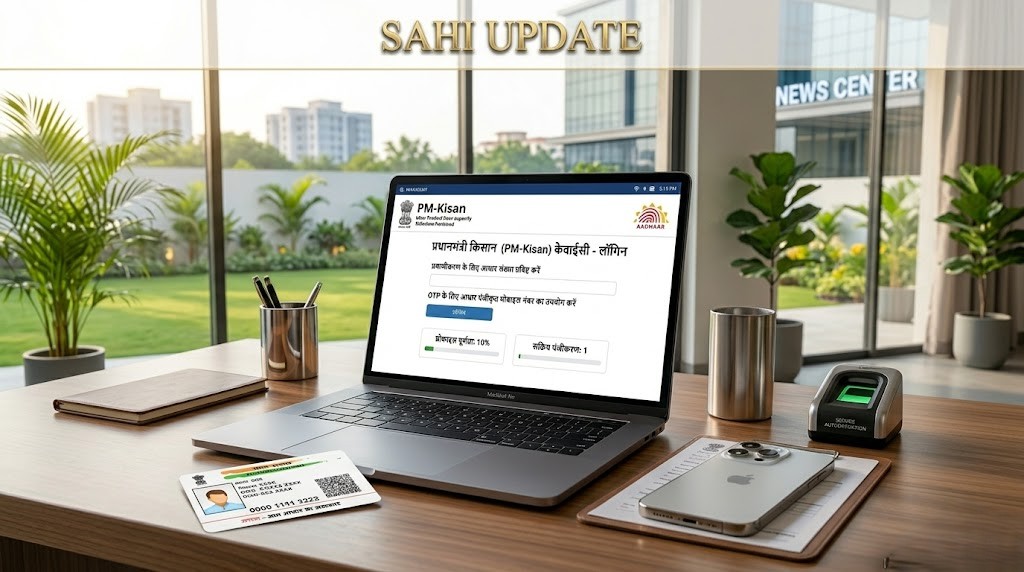





PM KISAN KYC Login 2026: How to Access the Portal for e-KYC Verification
In the current year of 2026, the digital infrastructure for agricultural benefits has reached a new peak of efficiency. For millions of farmers across India, the PM KISAN KYC login is the gateway to ensuring their financial stability. As the government continues to release installments of ₹2,000, accessing the official portal correctly is the first step toward verifying your eligibility. The login process has been designed to be secure yet accessible, allowing farmers to update their information, check their status, and perform the mandatory e-KYC without falling prey to unauthorized third-party sites.
Understanding the nuances of the PM KISAN KYC login is vital because the portal offers different access points for individual farmers and Common Service Center (CSC) operators. Whether you are attempting a self-verification via OTP or visiting a nearby center for biometric authentication, knowing which link to use can save you from technical errors. This guide provides a comprehensive overview of the login modules available in 2026, ensuring that you stay ahead of the deadlines for the upcoming installments. If you haven’t checked your payment history yet, you should also learn how to check PM Kisan beneficiary status to see if your records are up to date.
Types of PM KISAN KYC Login Modules
The PM-Kisan portal (pmkisan.gov.in) provides three distinct ways to log in or access the KYC features. Depending on your technical comfort and Aadhaar linking status, you can choose the one that fits you best:
| Login Type | Authentication Method | Primary User |
|---|---|---|
| OTP Based Login | Aadhaar + Mobile OTP | Individual Farmers |
| CSC Digital Seva Login | Biometric (Fingerprint/Iris) | CSC Center Operators |
| Official Login | ID & Password | Government Nodal Officers |
How to Perform Individual PM KISAN KYC Login
For most farmers who have their mobile numbers linked to their Aadhaar cards, the self-service login is the fastest option. You do not need a password; your Aadhaar number acts as your primary key for the PM KISAN KYC login process. Follow these steps:
- Go to Official Website: Open the official PM-Kisan portal.
- Farmer’s Corner: Scroll down to the ‘Farmer’s Corner’ and find the ‘e-KYC’ link. This is essentially the login page for individual users.
- Aadhaar Verification: Enter your 12-digit Aadhaar number and click the ‘Search’ button.
- OTP Authentication: Once your record is found, enter your registered mobile number to receive the first OTP. After validating this, you must click ‘Get Aadhaar OTP’ to receive the final verification code from UIDAI.
- Successful Login: Upon entering the correct Aadhaar OTP, your session is authenticated, and your KYC is marked as complete.
CSC Digital Seva Login for Biometric KYC
If you are a CSC operator or a farmer who prefers biometric verification, the PM KISAN KYC login via the Digital Seva portal is the correct path. This method is used when the farmer’s mobile number is not linked to Aadhaar or when OTPs are not being delivered due to network issues. Operators must log in using their CSC ID and navigate to the ‘Biometric Aadhaar Authentication’ tab. This session is protected by high-level encryption to ensure the privacy of the farmer’s biometric data.
Before proceeding with biometric login, it is always a good idea to verify the PM Kisan KYC link Aadhaar status to avoid repeated failures at the center.
Troubleshooting Common Login Issues
While the 2026 portal is highly advanced, users occasionally encounter hurdles during the PM KISAN KYC login. Here are the most frequent problems and their solutions:
- Session Timeout: This usually happens if the page is left idle for too long. Always refresh the page before entering your Aadhaar details.
- Captcha Error: Captcha codes are case-sensitive. Ensure you type them exactly as shown. If it’s unreadable, click the ‘Refresh’ icon next to it.
- Invalid Aadhaar: Double-check the 12 digits. If the error persists, verify if your Aadhaar has been deactivated due to non-usage or lack of biometric updates (Mandaory at age 5 and 15).
- Server Busy: During the peak days of installment release, the PM KISAN KYC login portal might be slow. Try logging in during off-peak hours (early morning or late night).
Important Documents to Keep Ready
To ensure a smooth PM KISAN KYC login experience, keep the following items with you:
- Original Aadhaar Card.
- The mobile phone carrying the SIM card linked to your Aadhaar.
- Your PM-Kisan Registration Number (In case the Aadhaar search fails).
- Bank Passbook (To verify if the account details match your login profile).
For more details on how to use these documents for verification, check our PM Kisan KYC online guide.
Conclusion
Navigating the PM KISAN KYC login portal in 2026 is a necessary skill for every modern Indian farmer. Whether you are logging in to update your personal details or to complete the mandatory e-KYC, using the official channels ensures that your data is safe and your benefits are secure. Remember that a successful login today is the guarantee of a successful ₹2,000 transfer tomorrow. Stay proactive, keep your mobile number updated, and always double-check your status on the official portal. For more “Sahi” updates, detailed walkthroughs of government portals, and the latest agricultural news, keep visiting sahiupdate.com. We are committed to making digital India accessible for every farmer!


Leave a Comment