

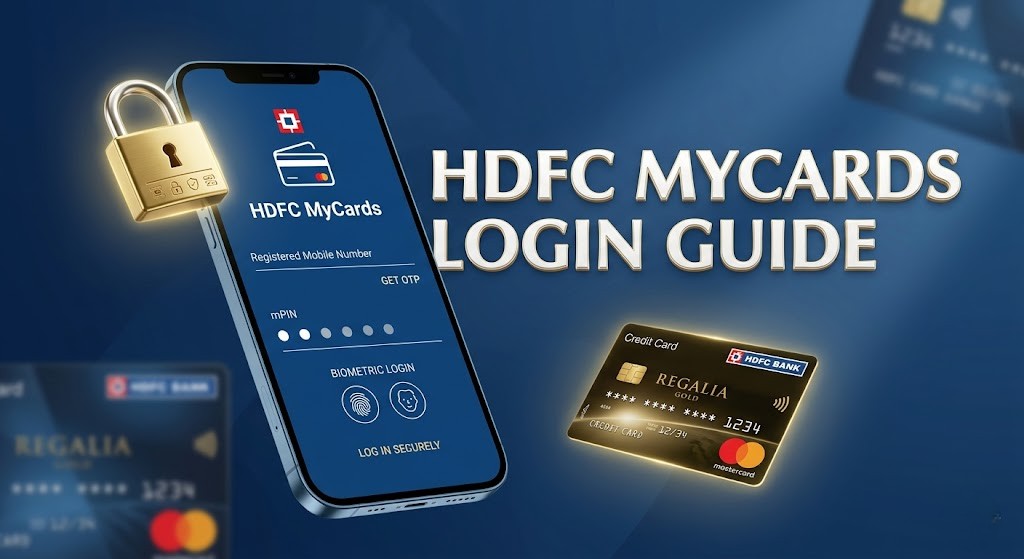





In the era of digital banking, managing your credit cards and consumer durable loans has become incredibly simple. If you are an HDFC customer, you might have asked yourself how to login HDFC MyCards to check your available limit or reward points. The MyCards portal is a dedicated web-based application designed by HDFC Bank to provide a seamless mobile-first experience for cardholders.
Contents
Unlike traditional NetBanking, the MyCards platform is lightweight and specifically optimized for managing “Cards” on the go. Whether you want to view your latest statement, block a lost card, or manage your EMI payments, knowing how to login HDFC MyCards is the first step toward complete financial control in 2026.
Detailed Steps: How to Login HDFC MyCards Portal
The login process for MyCards is unique because it does not require a traditional User ID and Password. Instead, it relies on your registered mobile number and an OTP (One-Time Password) for enhanced security. Here is exactly how to login HDFC MyCards in a few simple steps:
1. Visit the Official Website: Open your mobile or desktop browser and navigate to the official login page.
2. Enter Mobile Number: Provide the 10-digit mobile number that is registered with HDFC Bank.
3. Get OTP: Click on the ‘Get OTP’ button. You will receive a 6-digit code via SMS.
4. Verification: Enter the OTP and click on ‘Submit’ to access your dashboard.
Direct Access to HDFC MyCards Login
To save you from searching through multiple links, we have provided the official and direct login button below. This link will take you straight to the secure HDFC authentication page.
What Can You Do After Logging into MyCards?
Once you understand how to login HDFC MyCards, a wide range of services becomes available at your fingertips. This portal is not just for viewing your balance; it is a comprehensive management tool. Here are the top features you can enjoy:
Credit Card Management: You can view your total credit limit, available credit, and current outstanding balance. It also allows you to view your last three billing cycles and download statements in PDF format.
Easy EMI Tracking: If you have purchased a smartphone or appliance on HDFC Consumer Durable Loan, you can track your remaining EMIs and the total loan tenure through this portal.
Smart Pay: Manage your utility bill payments and set up auto-pay instructions for your electricity, water, and broadband bills directly from your card.
| Feature | Benefit |
|---|---|
| Reward Points | Check and Redeem for Vouchers |
| Transaction Control | Enable/Disable Online/International Usage |
| Block Card | Instant blocking in case of theft or loss |
Common Issues While Trying to Login HDFC MyCards
Sometimes, users face difficulties while attempting how to login HDFC MyCards. Understanding these common errors can help you troubleshoot the problem instantly:
1. OTP Not Received: This usually happens due to network congestion or if your mobile number is not updated in the bank’s records. Ensure you have a working cellular connection.
2. Session Expired: For security reasons, the MyCards portal logs you out after a few minutes of inactivity. You will need to re-enter your mobile number to log in again.
3. Browser Incompatibility: MyCards works best on updated versions of Google Chrome, Safari, and Microsoft Edge. If you face issues, try clearing your browser cache.
Security Tips for MyCards Users
While the bank provides a secure environment, your safety also depends on how you use the platform. After learning how to login HDFC MyCards, follow these safety protocols:
Never share your OTP with anyone, including people claiming to be bank employees. HDFC Bank will never ask for your MyCards OTP over a call. Always log out of the session if you are using a shared device or a public Wi-Fi network.
Frequently Asked Questions (FAQs)
Q1: Is there a separate mobile app for HDFC MyCards?
A: No, MyCards is a progressive web app (PWA). You can access it via your browser and “Add to Home Screen” for an app-like experience without downloading anything from the Play Store.
Q2: Can I manage multiple HDFC cards in one MyCards login?
A: Yes, if all your cards (Credit Card, Debit Card, Prepaid Card, or Loan) are linked to the same mobile number, you can manage them all under a single dashboard.
Q3: What should I do if I change my mobile number?
A: You must update your mobile number in the bank’s main records first. Once updated, you can use the new number to follow the steps on how to login HDFC MyCards.
Q4: Are there any charges for using the MyCards portal?
A: No, the MyCards service is completely free for all HDFC Bank customers.
Conclusion
Knowing how to login HDFC MyCards is essential for every HDFC customer who wants a hassle-free way to manage their credit and loans. The portal’s simplicity and the OTP-based login system make it one of the most user-friendly banking tools available in 2026. By following the guide and using the link provided above, you can securely access your account in seconds.
For the latest banking tips, technical guides, and job updates, stay connected with SahiUpdate.com. We bring you the most relevant and verified digital information to simplify your online life.

Leave a Comment