

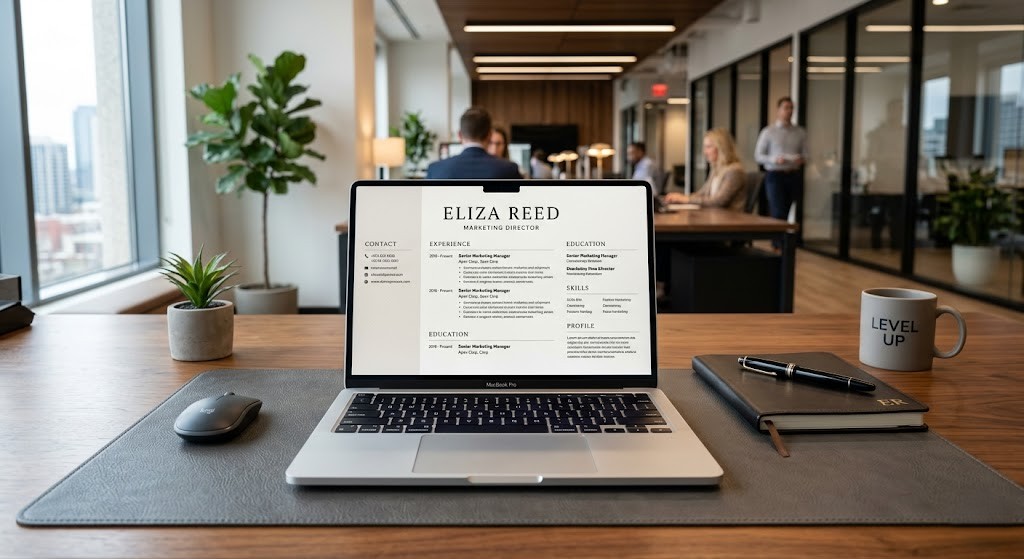





In today’s hyper-competitive job market, your resume is your digital handshake. Recruiters spend an average of only 6 to 7 seconds scanning a single document before deciding its fate. If your CV doesn’t capture attention instantly, you risk losing the opportunity of a lifetime. Therefore, understanding how to build a professional resume in minutes is no longer just a skill—it is a necessity for career survival in 2026.
🎯 Quick Navigation
The Psychological Impact of a Premium Resume
A resume is not just a list of your previous jobs; it is a psychological tool. It signals to the employer that you are organized, professional, and attentive to detail. When you build a professional resume, you are essentially creating a narrative of success. A clean layout suggests a clean mind, while a cluttered one suggests a lack of focus. In the corporate world, perception is reality.
Understanding ATS: The Silent Gatekeeper
Most modern companies use the Applicant Tracking System (ATS) to filter out nearly 75% of applicants before a human even sees the file. To beat the bots, your document must be optimized with relevant keywords found in the job description. Phrases like “strategic planning,” “project management,” or “data-driven results” act as signals that tell the software you are a match. Building a resume that is both beautiful and machine-readable is the ultimate goal.
Expert Strategy:
Avoid using complex graphics, tables, or unusual fonts. Simple, clean layouts with standard headers are preferred by 99% of ATS platforms.
1. Selecting the Optimal Resume Format
Success starts with the foundation. Depending on your career journey, choose one of these three standard formats:
- Reverse-Chronological: The gold standard. It emphasizes your career progression by listing your most recent role first.
- Functional: Perfect for career changers or those with significant employment gaps. It focuses on transferable skills rather than timelines.
- Combination (Hybrid): Ideal for senior-level professionals who want to showcase both specialized expertise and a long history of leadership.
2. Header and Contact Information Optimization
The top of your resume should be breathable and professional. Ensure your contact details are updated and clickable if you are sending a PDF. Include:
- Full Name: Bold, clear, and prominent.
- Professional Email: Use a simple [name.surname@domain] format. Avoid nicknames.
- Location: City and Country are sufficient. Full addresses are no longer required.
- LinkedIn/Portfolio: A must-have in 2026. Make sure your online presence matches your document.
3. Writing a High-Impact Professional Summary
Instead of a vague “Objective” statement, use a “Professional Summary.” This is a 3-sentence pitch that highlights your biggest achievements. For example: “Dynamic Project Manager with over 8 years of experience leading cross-functional teams to deliver software products 15% under budget.” This immediately tells the recruiter what value you bring to the table.
4. Quantifying Your Work Experience
Don’t just list your tasks; list your results. The strongest resumes use numbers to prove their claims. Compare these two examples:
Weak: Handled client accounts and increased sales.
Strong: Managed 50+ client accounts, resulting in a 22% increase in annual revenue.
5. Strategic Core Skills Placement
Divide your skills into Hard Skills (Software, Languages, Technical tools) and Soft Skills (Emotional Intelligence, Communication, Adaptability). This structure allows both the ATS and the human recruiter to quickly identify your technical compatibility and cultural fit.
6. The Final Review and Export Checklist
Before you hit send, follow this final quality assurance protocol:
- ✅ Proofread: Check for typos twice. Even a single error can be fatal.
- ✅ Length: Keep it to 1 page if you have less than 10 years of experience.
- ✅ Font Choice: Use professional fonts like Arial, Calibri, or Roboto.
- ✅ Format: Always export as a PDF to preserve layout integrity.
Conclusion
Learning how to build a professional resume in minutes is about working smarter, not harder. By focusing on layout, keywords, and quantifiable achievements, you turn a simple document into a career-changing asset. For more professional updates and career guidance, stay tuned to sahiupdate.com.
© 2026 Sahi Update | Empowering Careers Worldwide


Leave a Comment